Summary
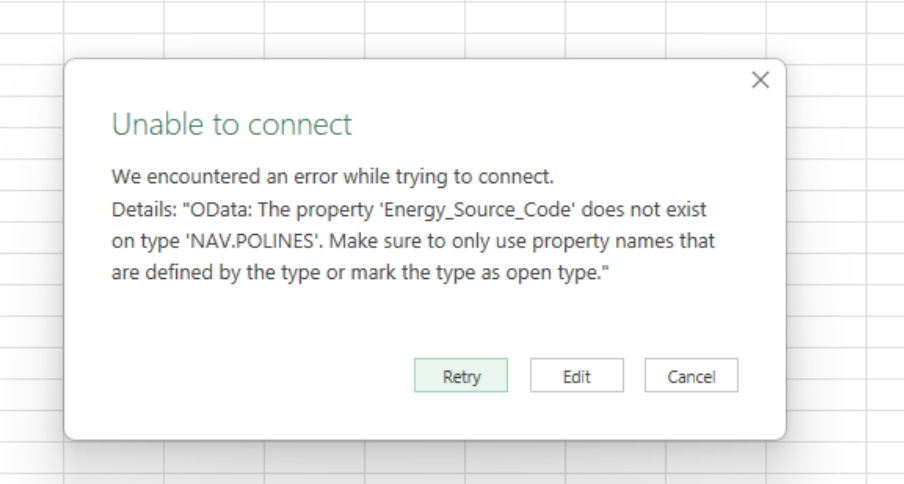
Users encounter an error message related to "The property '' does not exist on type" when attempting to load the Web Services OData API in Microsoft Excel after completing a major system upgrade (e.g., SR365 upgrade). This prevents a successful connection or data retrieval from the OData endpoint.
Root Cause
The issue is caused by outdated or cached OData API schemas stored in Microsoft Excel from previous SR365 versions.
After the upgrade, the API schema changes, but Excel continues to reference the old cached metadata, leading to connection or loading errors.
Resolution
To resolve this issue, clear the cached data in Microsoft Excel by following these steps:
- Open Microsoft Excel
- Navigate to Data tab
- Click on Get Data → Query Options
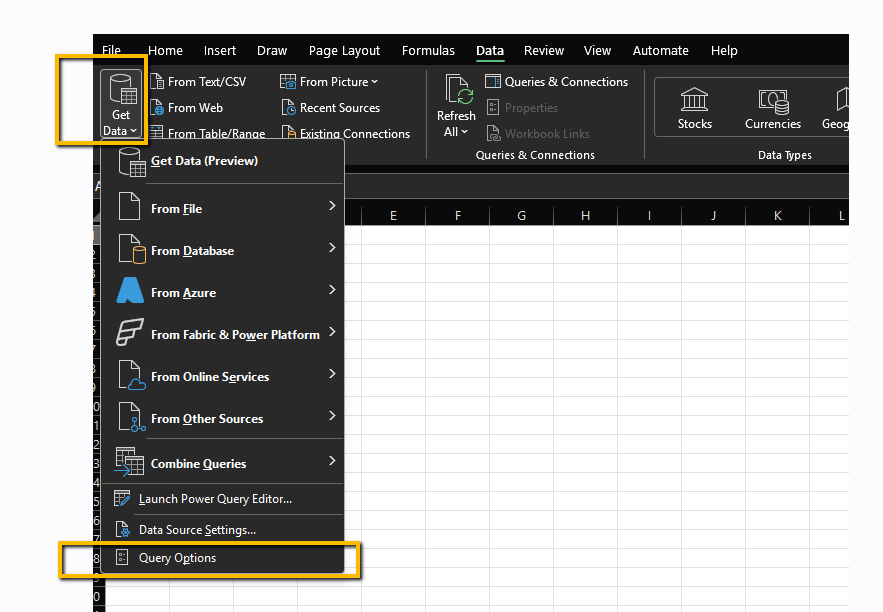
- In the Query Options window:
- Select Data Load
- Locate the Cache Management Options section
- Click Clear Cache
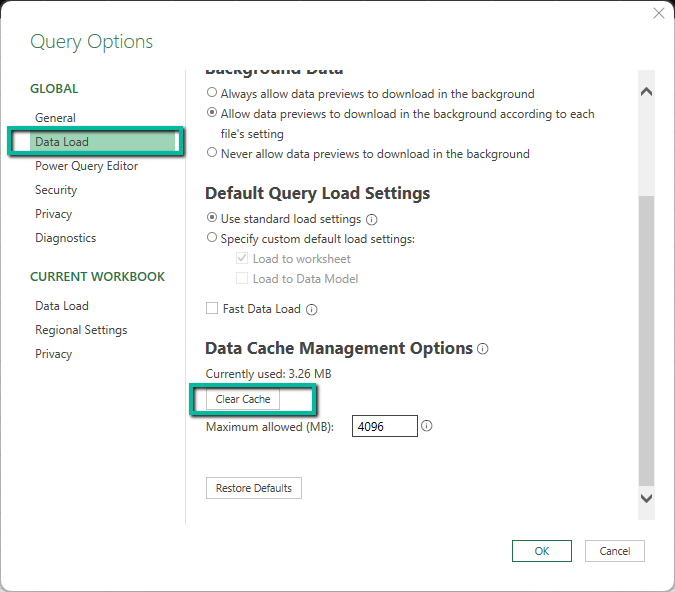
- Click OK to save changes
- Retry connecting to the OData API
After clearing the cache, Excel will retrieve the updated OData schema, and the connection should be successful.
Additional Information
- This issue commonly occurs after major upgrades or version changes where API structures are modified.
- Clearing the Excel cache forces a refresh of metadata and resolves schema mismatches.
- As a best practice, users should clear Excel query cache after system upgrades affecting web services or APIs.
Was this article helpful?
That’s Great!
Thank you for your feedback
Sorry! We couldn't be helpful
Thank you for your feedback
Feedback sent
We appreciate your effort and will try to fix the article