Prerequisites
Access to the Business Central Admin Center with Administrator rights.
Step-by-Step Upgrade Instructions
Log in to the Business Central Admin Center
From the left panel, choose the Environment section and click on the one you want to update
Update Sparkrock & Primo Apps
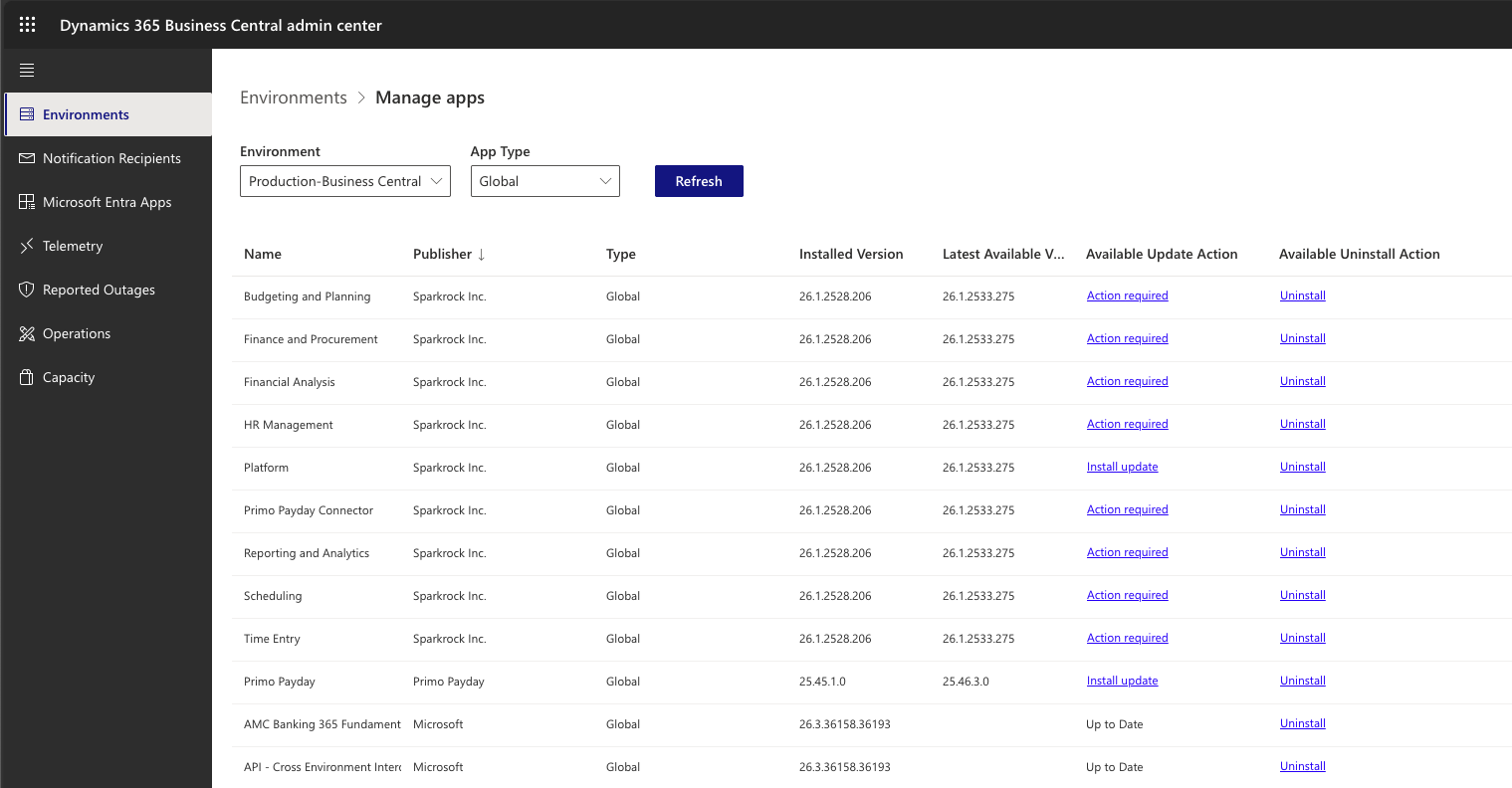
In the selected environment, go to the top menu and click Apps.
Locate the Sparkrock and Primo apps. You can do this easily by sorting by Publisher.
Install any available updates for the apps.
Click on Refresh and make sure all the Sparkrock apps have been updated.
Important Notes
We strongly recommend scheduling the upgrade outside of business hours to minimize disruption.
If you encounter issues, contact Sparkrock Support immediately with an urgent ticket.
Was this article helpful?
That’s Great!
Thank you for your feedback
Sorry! We couldn't be helpful
Thank you for your feedback
Feedback sent
We appreciate your effort and will try to fix the article